
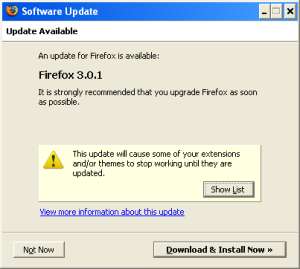
After making their Instant Play plugin compatible with version 3 of Firefox I don’t expect YoYo will be pleased to see that there has been a new version of Firefox released – version 3.0.1.
It has been reported that the recently updated Instant Play plugin does not work on this latest version of the popular web browser even though it is not shown on the list of exentions that will stop working unless they are updated.
If you have already updated your version of FireFox don’t worry as Game Maker Community adminsitrator Chronic has discovered a fix:
This version doesn’t seem to be a compatibility issue, its just a problem with the maxVersion variable found in the install.rdf file. I altered this and it seems to be working fine for me now.
How i fixed it:
Download the addon (YoYo.xpi, right click, save as.)
Rename from YoYo.xpi to YoYo.zip
Unzip to a new folder
Open Install.rdf in Wordpad
Find this line: em:maxVersion=”3.0.*.*” />
Change it to: em:maxVersion=”3.*” />Once you’re done with that close and save the file and rezip all of the files in the folder and rename it to YoYo.xpi then drag it in to a firefox window to install it (uninstall the previous version first).
Now, i’m not sure that this will 100% fix the issue, but its working for me. So do this only if you must, otherwise wait for an official solution.
Isn’t there now, I recall finding a solution on the gmc, here I’ll be kind enough as to post a link to the topic, where it can be found at(c v link below):
http://gmc.yoyogames.com/index.php?s=&showtopic=387225&view=findpost&p=2781355
@gamez93
They should have had an idea that the plug-in would remain compatible for several future versions, and thus 3.* or 3.*.* would be more appropriate than a very specific and limiting 3.0.*.*
I have dozens of extensions installed, and all of them except YoYo Games’ worked fine after updating.
@Mattthew_H – How can they be prepared that Fx are going to change the way the version number is laid out, a few days after the latest release?
Still, they should have been more better prepared for something like this.
But, I guess you are right, in a way, Chronic.
-Matt
It works! Thanks for the tip, Chronic!! 🙂
Um.. in version 2 cycle of firefox, the version numbers were typically 2.0.0.0. So therefor its right to assume that version 3 would follow the same method, thus having a maxVersion of 3.0.*.* should have worked. However, firefox 3.0.1 only had 3 sections to the version number instead of 4, thus causing an issue.
So its not right to blame this on yoyogames.
Stupid mistake from YoYo. They should have known that there was already a new version coming.
Yes, I must agree with Tuntis, they should have known, even asked Mozilla to send them a notice that there would be a new version.
At lest there has been a fix already, and not waiting weeks for it. 😛
-Matt